Networking fundamentals, hotel-flavoured
You don't need the full CCNA to run a property, but every outage you'll ever troubleshoot lands on one of these six layers. Learn to name the layer first, then fix it.
The stack, and what breaks at each layer
| Layer | What lives there | Typical hotel failure | First test |
|---|---|---|---|
| 1 — Physical | Cat6, fibre, SFPs, PoE, patch cords | Housekeeping vacuums a cable out of a wall jack; a crushed drop in a renovated room | Link light. Cable tester. Swap the patch cord. |
| 2 — Data link | MAC addresses, VLANs, switching, STP, LLDP | Phone lands in the wrong VLAN; a guest plugs a travel router in and loops the LAN | show mac address-table, port VLAN, STP state |
| 3 — Network | IP, subnets, routing, NAT, ACLs | Front desk can't reach the PMS server because an inter-VLAN ACL is too tight | ping gateway → server, then tracert |
| 4 — Transport | TCP/UDP ports, sessions | Firewall blocks the FIAS port; NAT session table full from a torrenting guest | Test-NetConnection host -Port n |
| 5–6 | TLS, certificates, encoding | Expired certificate on the captive portal → every guest sees a scary warning | Browser cert inspector; check expiry dates quarterly |
| 7 — Application | HTTP, DNS, SIP, RTSP, SMB | PMS interface service stopped on the interface PC; DNS forwarder down | Service status, app logs, nslookup |
Addressing, in the terms you'll actually use
- IP address + subnet mask — the address is the room number, the mask says which rooms are on the same floor.
10.10.20.15/24means the first three octets are the "floor" (10.10.20.x), leaving 254 usable hosts. - Gateway — the elevator off that floor. No gateway, or a wrong one, means the device talks locally but can't leave.
- Broadcast domain — everyone who hears a shout. A VLAN is one broadcast domain. Put 400 guest devices and your PMS in the same one and the PMS gets to hear every guest device's chatter.
- DHCP — hands out address, mask, gateway, DNS, and vendor options. Guest VLANs need huge pools and short leases; infrastructure needs reservations or statics.
- DNS — name to address. Internally: your domain controller. Externally: your ISP or a public resolver. A hotel with no working DNS looks exactly like "the internet is down" to everybody.
- NAT — many private addresses behind one public. Consumer routers hide this; on a property you must know your public IPs because vendors will whitelist them.
- ARP — IP to MAC on the local segment. Duplicate IP conflicts and "it works for 30 seconds then dies" symptoms are usually ARP.
/24 = 254 hosts · /23 = 510 · /22 = 1,022 · /21 = 2,046 · /16 = 65,534. Guest wireless on a 100-room property with families, laptops, tablets, watches and consoles routinely needs more than a /24. Start at /22 minimum.
Speed, and why "we have a gig" isn't the answer
- Bandwidth is the pipe width. Latency is how long a packet takes one way. Jitter is variation in that delay. Loss is packets that never show up.
- Guests complaining about "slow Wi-Fi" are usually reporting latency and loss on the radio, not a saturated WAN. A 1 Gbps circuit behind an over-subscribed 2.4 GHz radio still feels terrible.
- Voice tolerates almost no jitter: keep it under 30 ms, loss under 1%, one-way delay under 150 ms. Video streaming tolerates a lot of jitter but hates loss.
- Half-duplex mismatches still exist on old analog gateways and legacy printers, and produce the classic "slow but not down" symptom with rising CRC errors on the switch port.
How a hotel network is actually laid out
Select-service properties (100–200 rooms, 3–6 floors) almost always land on the same shape. Know the shape and you can walk into any property and predict where everything is.
# Physical path, street to guest room
INTERNET  ──▶ Primary circuit (fibre, at the demarc / ONT)
          ──▶ Backup circuit (cable or LTE/5G, different carrier & path)
                        │
                  EDGE FIREWALL  ← public IPs, NAT, ACLs, VPN, failover
                        │
                  HSIA GATEWAY   ← guest portal, bandwidth shaping, PMS billing
                        │
                  CORE / L3 SWITCH ← every VLAN's gateway lives here
                   ╱    │    ╲
        MDF access sw IDF-2 IDF-3   ← fibre uplinks, one closet per floor/wing
              │        │      │
   ┌──────────┴───┐    └──────┴────────────┐
   APs · phones · cameras · TVs · locks · POS · back-office PCs
Interactive Live Network Packet Tracer & Topology Explorer
Select a source endpoint and target destination to trace packet encapsulation, VLAN tagging, inter-VLAN routing, and security ACL policy evaluation in real time.
The closets
- MDF (main distribution frame) — the main room. Carrier demarc, firewall, core switch, servers, NVR, phone controller, UPS. Usually behind the front desk or in a back-office. It should lock, be cooled, and not double as dry storage. It always does.
- IDF (intermediate distribution frame) — one per floor or wing. Access switches plus patch panels for that floor's room drops. Fibre or Cat6A back to the MDF. Often a wall-mounted 12U cabinet in a housekeeping closet.
- Horizontal runs from an IDF to a room jack must stay under 90 m of solid cable plus 10 m of patch cords. On a long wing, that's the constraint that decides where the second IDF goes.
Traffic patterns worth knowing
- Guest traffic is almost entirely north–south (out to the internet) and should never go east–west. Client isolation on, inter-guest traffic dropped.
- PMS traffic is east–west inside the property (front desk workstations → PMS server → interfaces to voice, HSIA, locks, POS) plus a link out to the brand's central reservation system.
- Camera traffic is heavy, constant, and one-directional (cameras → NVR). Keep it on its own VLAN so it never competes with guests, and keep NVR and cameras on the same switch where possible.
- Voice is small in bandwidth but merciless about delay. It needs QoS marking end-to-end.
If two systems don't need to talk to each other, they belong in different VLANs with no route between them. The default answer for a hotel is "deny", with explicit rules for the handful of flows that genuinely exist: PMS↔interfaces, workstations↔servers, cameras↔NVR, phones↔controller.
VLAN and IP plan
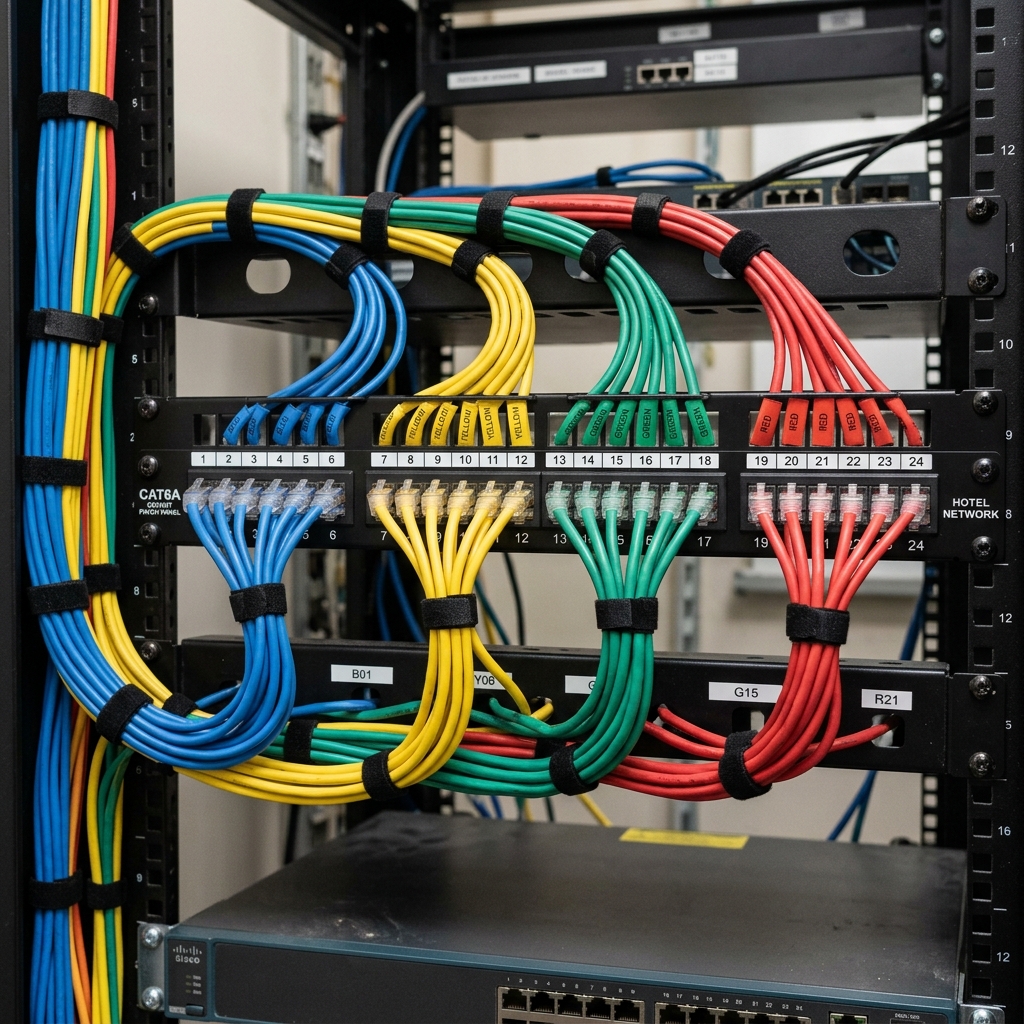
This is the single most important document at the property. Write it down, keep it current, and colour-code your patch cords to match.
| VLAN | Name | Subnet | What's on it | Internet | Cable colour |
|---|---|---|---|---|---|
10 | Management | 10.10.10.0/24 | Switch/AP/firewall mgmt IPs, UPS cards, out-of-band | Outbound only, via jump host | Grey |
20 | Admin / back office | 10.10.20.0/24 | Front desk PCs, GM, sales, printers, scanners | Yes | White |
30 | PMS & servers | 10.10.30.0/24 | PMS server, interface PC, DC, file server, key encoder | Restricted | Violet |
35 | POS / payments | 10.10.35.0/24 | Terminals, pin pads, payment gateway path | Whitelist only | Red |
40 | Voice | 10.10.40.0/24 | Mitel controller, IP handsets, analog gateways | SIP trunk only | Yellow |
50 | Guest wireless | 10.50.0.0/22 | Guest devices, meeting rooms, lobby | Yes, shaped | Blue |
55 | Guest wired / TV | 10.55.0.0/23 | Room jacks, in-room entertainment, casting | Yes, shaped | Blue |
60 | Cameras | 10.10.60.0/24 | IP cameras, NVR, viewing station | None (NVR only, if cloud) | Green |
70 | Building systems | 10.10.70.0/24 | Door locks, energy mgmt, HVAC/BAS, elevator monitoring | Vendor whitelist | Orange |
80 | AV / signage | 10.10.80.0/24 | Meeting room displays, digital signage, boardroom kit | Yes | Black |
999 | Parking / native | — | Unused ports land here, no route anywhere | No | — |
Rules that keep this honest
- Never use VLAN 1 for anything. Change the native VLAN on trunks to an unused ID (999) so untagged traffic goes nowhere.
- Access port = one VLAN (plus optionally a voice VLAN). Trunk = many VLANs, and only the ones that need to cross that link. Prune everything else.
- Every unused port should be
shutdownor parked in VLAN 999. A live port in the lobby is an open door. - Reserve
.1for the gateway,.2–.20for infrastructure statics,.21–.50for servers and reservations,.100+for DHCP. Consistency across VLANs makes 2 a.m. maths easier. - Guest DHCP: lease 4–8 hours, not 24. Devices come and go; long leases exhaust the pool by Saturday night.
Payment card systems must be isolated from guest networks, from each other's unnecessary neighbours, and from anything a guest can physically reach. If guest traffic can route to a POS terminal, your entire property is in PCI scope and your franchise audit will say so.
Internet and WAN
Sizing the circuit
Brand standards usually set a floor, and the floor is usually too low by the time you install it. Work from devices, not rooms.
- Assume 2.5–3.5 devices per occupied room on a leisure property, higher with families and long-stay guests.
- Plan for 3–5 Mbps per concurrently active device for streaming-era expectations, with heavy oversubscription (only ~20–25% are actively pulling data at any instant).
- A 100-room select-service property at 85% occupancy realistically wants 500 Mbps–1 Gbps symmetrical, plus headroom for the back office, cloud PMS, and camera offload.
- Upstream matters more than it used to: video calls, cloud backup, and guests uploading. Avoid heavily asymmetric consumer plans if you can.
Redundancy that actually survives
- Two circuits, two carriers, two physical paths. Two fibres from the same provider in the same conduit is one circuit wearing a costume.
- Automatic failover at the firewall, with health checks against a real destination (not just "is the interface up"). Test it quarterly by pulling the primary during a low-occupancy afternoon.
- LTE/5G backup is legitimate for a select-service property. Size it to keep the PMS, payments, and phones alive — not to keep 200 guests streaming. Shape guest traffic hard on failover.
- Static public IPs — get at least a small block. Vendors (PMS, brand systems, remote support, camera cloud) will ask you to whitelist your source IP, and a dynamic address will break that weekly.
Things to know about your own circuit
Circuit ID
The carrier will not talk to you without it. Tape it inside the rack door and put it in your vendor sheet.
Demarc location
Where carrier responsibility ends and yours begins. Usually the ONT or NID. Everything downstream is your problem.
Support tier & SLA
Know your response window and your escalation path before you need it. A business SLA with 4-hour response is worth the premium.
Account authority
Whose name is on the account, and are you authorized to open tickets? Fix this on a calm day, not during an outage.
Label both WAN handoffs at the patch panel and at the firewall port. During a failover test you want zero ambiguity about which cable is which. Photograph the rack front and back after every change.
Firewall, routing, and the edge
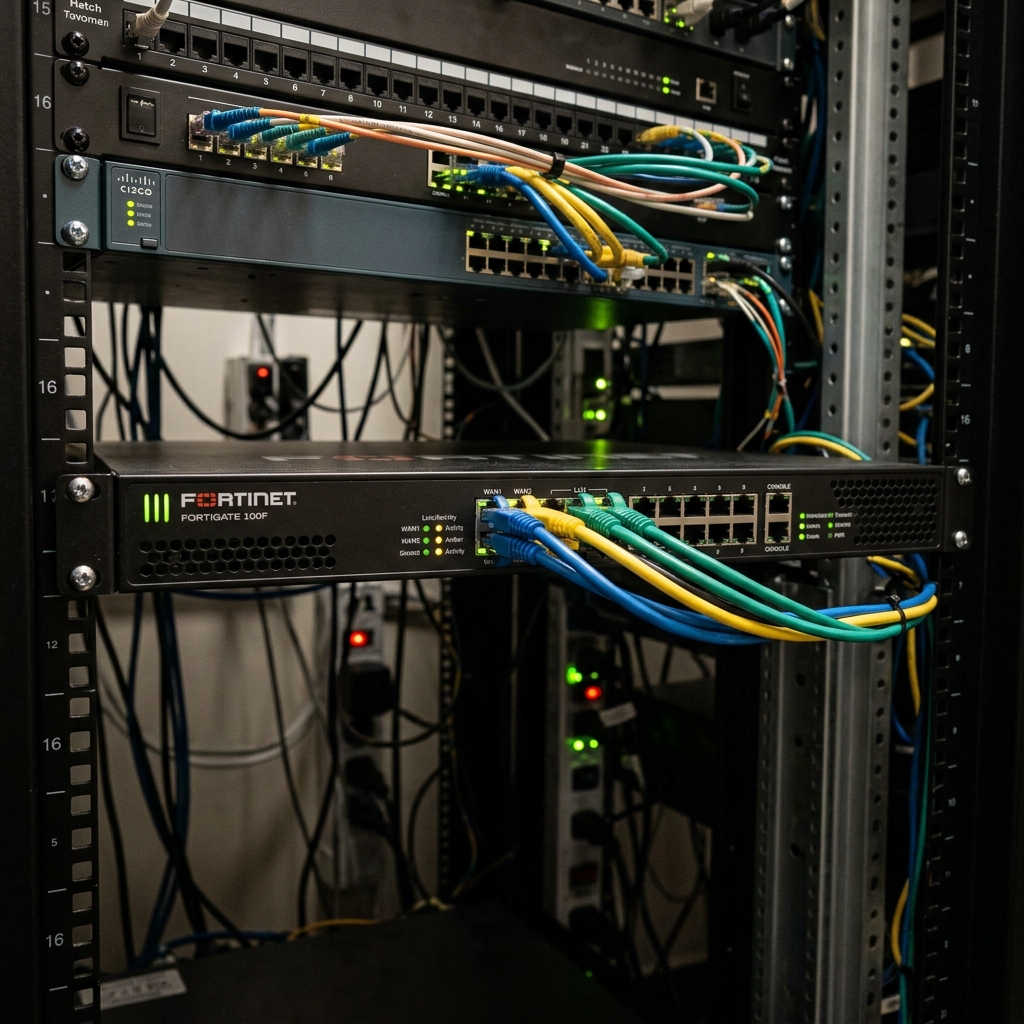
On a property this size the firewall is usually also the router, the VPN concentrator, the DHCP relay, and the failover brain. Treat it as the most important box you own.
What it must do
- Inter-VLAN policy. Default deny between VLANs, explicit allows for real flows. This is where segmentation stops being a diagram and becomes enforcement.
- NAT and port forwarding. Keep forwards to an absolute minimum. Remote camera access via a forwarded port is how properties end up on public camera-search sites — use the vendor's cloud relay or a VPN instead.
- Site-to-site / remote access VPN for your own admin access and for vendor support, with MFA. Never expose RDP to the internet. Ever.
- Guest bandwidth shaping if the HSIA gateway doesn't do it — per-client caps, not just a total.
- IDS/IPS and content filtering on the guest edge. At minimum block outbound SMTP (port 25) from guest to stop spam bots, and rate-limit new connections per client to contain torrent clients.
- Logging to somewhere that survives the firewall. Syslog to a server or cloud collector; keep at least 90 days for incident response and law-enforcement requests, which hotels do get.
A workable inter-VLAN policy
| From | To | Allow | Why |
|---|---|---|---|
| Admin (20) | PMS/Servers (30) | App ports, SMB, print, RDP from named hosts | Front desk does its job |
| PMS (30) | Voice (40) | Interface port (FIAS/TCP), one host to one host | Check-in enables phone, posts call charges |
| PMS (30) | HSIA gateway | Interface port only | Room-charge internet, guest name lookup |
| PMS (30) | Locks (70) | Lock server port only | Key encoding, mobile key |
| Cameras (60) | Anywhere | Nothing outbound; NVR only, to the cameras | Cameras are the softest devices you own |
| Guest (50/55) | All internal VLANs | Deny, all of it | Non-negotiable |
| Guest (50/55) | Internet | Allow, minus 25/tcp, SMB, and internal ranges | Guests get the internet, nothing else |
| Management (10) | Internet | NTP, DNS, firmware/cloud controller only | Devices don't need to browse |
Configuration hygiene
- Change every default credential before the device leaves your desk. Then again after any vendor touches it.
- Named admin accounts, MFA on the management interface, and no shared "hotel" login.
- Management interface reachable only from the management VLAN or VPN — never from the WAN.
- Config backup after every change, stored off the device. Keep the last five.
- Firmware: patch on a schedule during low occupancy, not on a whim at 4 p.m. on a Friday. Read the release notes for the interop notes with your phone system.
- NTP everywhere. Camera timestamps, door lock audit trails, and PMS logs are useless as evidence if the clocks disagree.
Switching and PoE
Switch roles
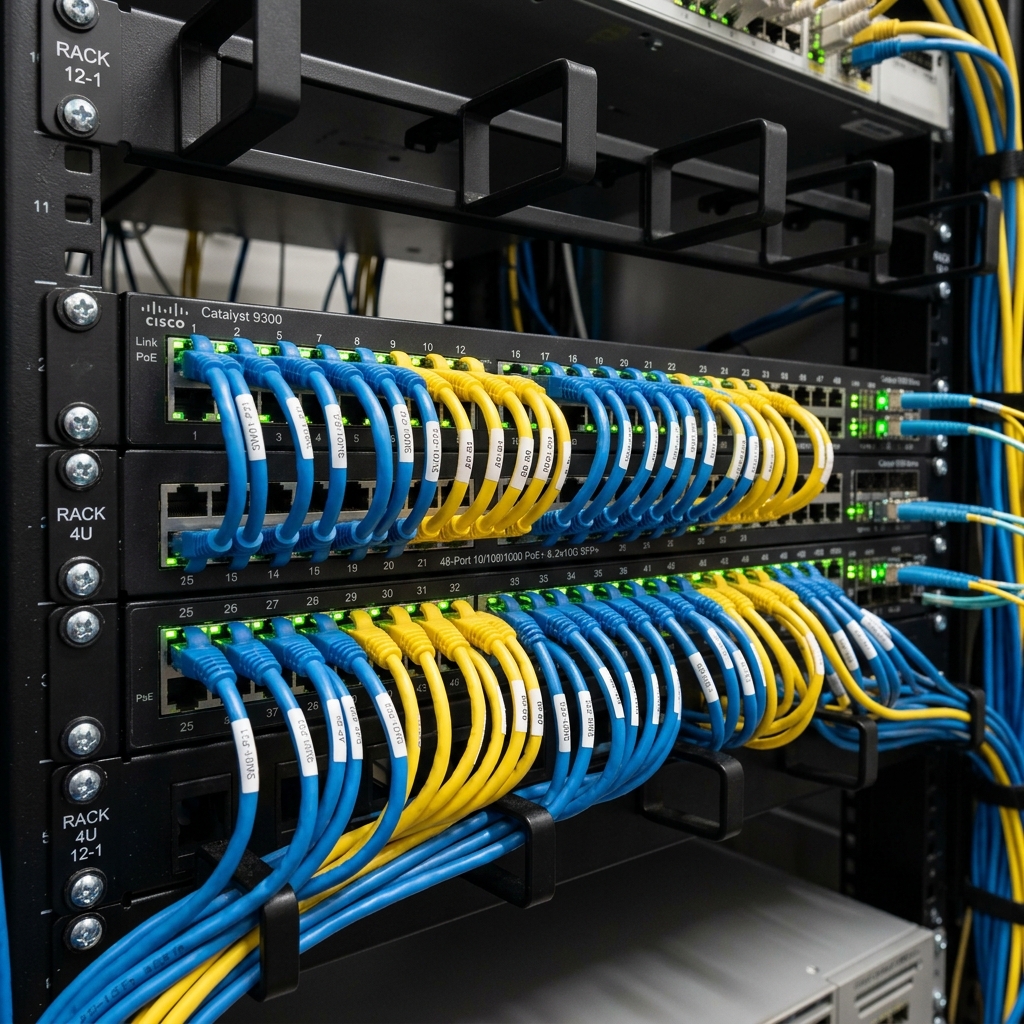
- Core / distribution (L3). Holds the SVI (gateway) for each VLAN, does inter-VLAN routing at wire speed, aggregates fibre from the IDFs. One box on a small property, two stacked if budget allows — the core is your biggest single point of failure.
- Access (L2, PoE). Everything plugs in here: APs, phones, cameras, TVs, printers. Buy PoE+ on every port and count your budget properly.
- Stacking gives you one management plane and cross-stack link aggregation. Worth it. Don't daisy-chain unstacked switches with copper uplinks — that's how you get a 100 Mbps bottleneck feeding a whole floor.
PoE, in numbers
| Standard | Name | At the switch | At the device | What it powers |
|---|---|---|---|---|
| 802.3af | PoE | 15.4 W | 12.95 W | IP phones, older APs, fixed cameras |
| 802.3at | PoE+ | 30 W | 25.5 W | Wi-Fi 6 APs, PTZ and IR cameras, video phones |
| 802.3bt Type 3 | PoE++ | 60 W | 51 W | Wi-Fi 6E/7 APs, small displays, thin clients |
| 802.3bt Type 4 | PoE++ | 100 W | 71.3 W | Signage, high-power PTZ, PoE lighting |
- Typical draw: Wi-Fi 6 AP 15–25 W · wall-plate AP 10–15 W · fixed dome camera 6–12 W · IR/PTZ camera 15–40 W · IP desk phone 3–7 W.
- A 48-port switch advertising 370 W of PoE budget cannot power 48 APs. Do the arithmetic before you order, and leave 30% headroom.
- PoE runs are still 100 m. Beyond that you need a fibre run and a local switch, or a PoE extender (which halves your reliability).
Port configuration defaults
# Access port — AP (trunk, because APs carry multiple SSIDs/VLANs)
switchport mode trunk
switchport trunk native vlan 10          # AP management
switchport trunk allowed vlan 10,50,55,80
spanning-tree portfast trunk

# Access port — desk phone with a PC behind it
switchport mode access
switchport access vlan 20                # PC is untagged
switchport voice vlan 40                 # phone tags itself
spanning-tree portfast
spanning-tree bpduguard enable

# Access port — camera
switchport mode access
switchport access vlan 60
storm-control broadcast level 2.00
spanning-tree portfast; spanning-tree bpduguard enable
Protect the switch from the building
- BPDU guard + PortFast on every access port. A guest plugging a home router into a lobby jack becomes a non-event instead of a property-wide outage.
- Loop protection / loopback detection on room and meeting-room jacks. Someone will eventually patch a jack into another jack.
- DHCP snooping with trusted uplinks only — stops a rogue router handing out addresses to your guests.
- Storm control on access ports, especially camera and guest ports.
- Port security where it makes sense (POS terminals, key encoder) — limit to one or two MACs.
- STP root bridge should be your core, explicitly configured. Never let an access switch win the election by accident.
Every switch port gets a label that matches the patch panel that matches the wall jack that matches your port map. IDF2-SW1-Gi1/0/14 → PP-B-14 → RM 214 JACK A. This is boring, takes an afternoon once, and saves you dozens of hours over the years.
Wi-Fi design
Wi-Fi is the single most reviewed part of your property. It is also the part guests judge with no understanding of what's actually wrong. Design it so their misdiagnosis is never right.
Coverage model: hallway APs vs in-room APs
| Hallway / corridor APs | In-room wall-plate APs | |
|---|---|---|
| Density | 1 AP per 3–5 rooms, ceiling mounted | 1 AP per room (or per pair via pass-through) |
| Cabling | Fewer drops, cheaper install | One drop per room — often already there from the TV/phone |
| Performance | Signal fights two demising walls; bathrooms and elevator shafts kill it | Excellent per-room signal, low co-channel interference at low power |
| Bonus | — | Wall plate usually gives 1–2 wired pass-through ports for the TV and phone |
| Verdict | Fine for lobby, meeting rooms, pool, back of house | The modern standard for guest rooms in new build and renovation |
RF fundamentals for a hotel
- 2.4 GHz — three non-overlapping channels only: 1, 6, 11. Never use anything else. Turn power down, not up. Keep it enabled for old devices and IoT, but treat it as the slow lane.
- 5 GHz — many channels, use 20 or 40 MHz width in a dense hotel. 80 MHz feels fast in a demo and destroys channel reuse across floors.
- DFS channels give you more spectrum but radar (weather and airport) can force an instant channel change and a brief drop. Near an airport, test carefully before enabling.
- 6 GHz (Wi-Fi 6E/7) — clean spectrum, short range, doesn't get through concrete. Excellent for in-room APs, near useless for corridor coverage.
- Floors matter. Your AP on floor 3 hears the one on floor 2 and 4. Plan channels in three dimensions or you'll build a co-channel interference sandwich.
- Disable low data rates (802.11b 1/2/5.5/11 Mbps). Every beacon at 1 Mbps is airtime stolen from paying guests, and it lets distant devices cling to a bad AP.
Roaming and client behaviour
- Enable 802.11k (neighbour reports), 802.11v (BSS transition), and 802.11r (fast transition) — but test 802.11r against older devices, it still breaks some.
- Clients decide when to roam, not you. Your levers are AP power, minimum RSSI/band steering thresholds, and density. Design for -65 dBm in the room and -72 dBm worst case at the pillow.
- Band steering pushes dual-band clients to 5 GHz. Useful, but too aggressive and you strand devices in the bathroom.
SSID plan — keep it to three
| SSID | Security | VLAN | Notes |
|---|---|---|---|
Hotel-Guest | Open + captive portal, or WPA3-OWE (enhanced open) | 50 | Client isolation ON. This is the one on the key card sleeve. |
Hotel-Staff | WPA2/3-Enterprise (802.1X to RADIUS/Entra) or strong PSK rotated on turnover | 20 | Hidden isn't security, but keep it off the guest collateral. |
Hotel-Devices | WPA2-PSK, per-device PSK if supported | 70/80 | Handhelds, signage, IoT that can't do 802.1X. |
Every extra SSID costs airtime in beacons across every AP and every band. Four SSIDs is a compromise; six is self-harm.
Vendor features like per-device or dynamic pre-shared keys (Ruckus DPSK, Meraki iPSK, Aruba MPSK) give each room its own key and its own micro-segment. Guests can cast to the TV and connect a printer or console without seeing the room next door. This is the cleanest solution to the "my Chromecast won't work" complaint, and it's worth specifying at refresh time.
Survey and validate
- Do a predictive design from floor plans, then a post-install validation survey with a real tool. "It looks fine on my phone" is not a survey.
- Walk the corners: end-of-corridor rooms, rooms behind elevator shafts, stairwells, the pool, the parking garage if guests expect coverage there.
- Re-survey after any renovation. New mirrors, foil-backed insulation, tile, and metal-studded walls change everything.
- Meeting rooms need their own thinking: 40 people in a boardroom is a different design problem from 40 people spread over a floor. Add APs and cap client counts.
Guest internet (HSIA)
HSIA — high-speed internet access — is the layer between your guests and your firewall. It authenticates, meters, shapes, bills, and takes the blame.
What the gateway actually does
- Captive portal — intercepts the first web request and presents your splash page. Guests authenticate by room number + last name (looked up live from the PMS), loyalty number, access code, or just accepting terms.
- Bandwidth management — per-device caps so one guest's 4K download doesn't starve a floor. Often tiered: free basic tier for everyone, premium tier for loyalty members or a fee.
- Subscriber management — tracks sessions, device counts per room, session duration, and expiry at checkout.
- Zero-config / pass-through — accepts any device's static IP or proxy settings without the guest reconfiguring their laptop. This is the classic Nomadix trick and still valuable for business travellers.
- Billing posting — pushes paid-internet charges to the guest folio through the PMS interface.
Portal problems and their fixes
| Symptom | Cause | Fix |
|---|---|---|
| Portal never appears on an iPhone | Apple's captive network assistant is being blocked or the portal is HTTPS-only | Ensure the detection URLs and DNS interception work; guest should be able to browse to neverssl.com manually |
| Android says "connected, no internet" | Its connectivity check can't reach Google's endpoint | Allow the connectivity-check hosts through the walled garden |
| Browser shows a certificate error at the portal | HSTS on the site the guest tried first, or expired portal cert | Valid public cert on the portal FQDN; renew on a calendar reminder |
| Room-number login fails for a real guest | PMS interface down, or the guest's name doesn't match the reservation exactly | Check the interface service; front desk can issue a manual access code |
| Chromecast / AirPlay won't find the TV | Client isolation blocks mDNS between guest devices | Bonjour/mDNS gateway, per-room PSK, or a dedicated casting solution |
| Guest gets kicked off every hour | Session timeout or short DHCP lease with no renewal | Align session length with stay length; re-auth silently by MAC |
Walled garden — always allow before login
- Your own portal and payment path, the hotel and brand websites, the loyalty program login.
- Operating-system captive-portal detection endpoints (Apple, Android, Windows).
- Certificate revocation and time services (OCSP, NTP) — otherwise TLS fails in odd ways.
- Emergency and accessibility resources if your brand or jurisdiction requires it.
- Keep guest session logs (MAC, IP, timestamp, room) for the period your legal counsel and brand specify. Hotels receive law-enforcement requests; "we don't log" is a bad answer.
- In Canada, guest personal information collected at the portal falls under PIPEDA. Collect the minimum, say what you collect on the splash page, and don't sell it.
- Blocking or throttling is a service decision, but interfering with guests' own VPNs will generate complaints from every business traveller. Allow IPsec, IKE, and WireGuard/OpenVPN outbound.
Mitel phone system
Hotels are one of Mitel's oldest strongholds, because hospitality needs things a normal office PBX doesn't: room status from a handset, wake-up calls, message waiting lamps, per-room billing, and a guest room phone that works when everything else is off.
Which platform you're likely on
| Platform | Also known as | Shape | Notes |
|---|---|---|---|
| MiVoice Business | 3300 ICP | Appliance or virtual controller | The mainstream hospitality platform. Native hotel/motel feature set, PMS interface, and hospitality applications. |
| MiVoice Office 250 | Mitel 5000 | Chassis-based, smaller | Common at select-service properties. Analog-friendly, straightforward hospitality features. |
| MiVoice Connect | ShoreTel | Distributed switches | Less common in hotels but present after acquisitions. |
| MiVoice Border Gateway | MBG | Edge appliance | SIP trunk termination, remote phone proxy, teleworker access. |
Endpoints
- Guest room phones are usually analog, even in an IP property. They're cheap, survive abuse, need no PoE, and keep working through a network outage. They connect to an analog station gateway (Mitel ASU/AMB, or a third-party gateway) that presents FXS ports.
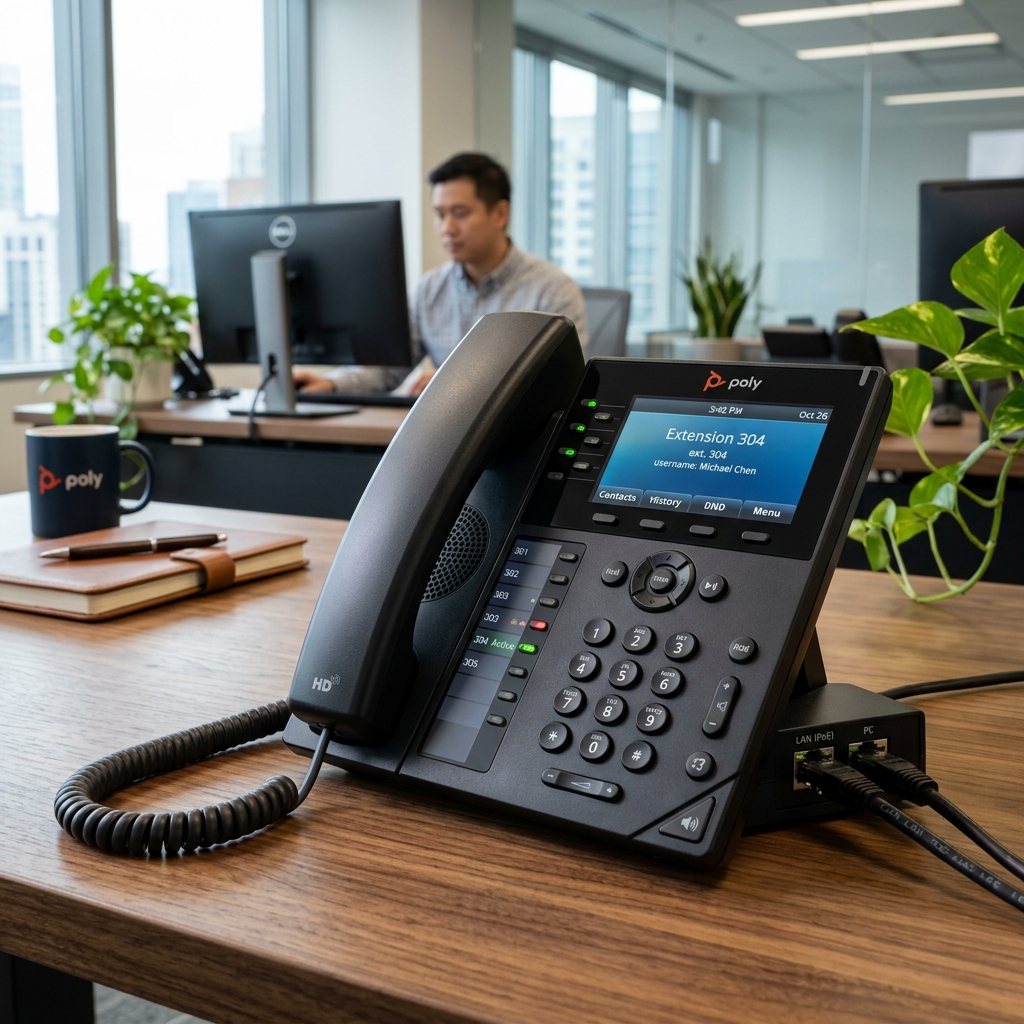
- Admin phones — front desk, GM, sales, maintenance — are IP: Mitel 6900 series or older 5300 series. Front desk usually gets a console-style set with a large key module for room lines and quick transfers.
- Emergency and courtesy phones — elevator, pool, stairwells, loading dock. These are analog by requirement, often on dedicated circuits with their own backup power.
- Cordless for engineering and housekeeping — DECT base stations or Wi-Fi handsets. DECT is more reliable in a concrete building; Wi-Fi handsets need a properly designed voice-grade WLAN.
Network requirements for the phones
- Voice VLAN. IP phones tag their own traffic; the PC behind the phone stays untagged on the data VLAN. Configure both on the access port.
- VLAN discovery via LLDP-MED (preferred, modern switches) or DHCP options. Mitel phones read Option 43 (or 125) with a vendor-specific string:
# Mitel DHCP Option 43 vendor-specific string (typical form)
id:ipphone.mitel.com;sw_tftp=10.10.40.10;call_srv=10.10.40.10;vlan=40;l2p=6;dscp=46

# QoS marking, end to end
RTP media      → DSCP EF (46)   → strict priority queue
Call signaling → DSCP CS3 (24) or AF31 (26)
Everything else→ best effort

# Bandwidth per concurrent call (with overhead)
G.711  ≈ 87 kbps   G.729 ≈ 31 kbps   G.722 (HD) ≈ 87 kbps
- Trust the phone's marking at the access port, and re-mark or police anything else. If QoS stops at the switch and the WAN doesn't honour it, calls still break during congestion — confirm your carrier's SIP trunk QoS treatment.
- Separate the controller's power. The call controller, the analog gateway, and the switch feeding emergency phones all belong on UPS, ideally on generator too.
Trunks: SIP vs PRI vs POTS
- SIP trunks are the norm now: cheaper, flexible channel counts, ride your data circuit (so they inherit its outages — hence the second circuit). Terminate through a session border controller or MBG, never directly exposed.
- PRI (23 channels) is legacy but still installed. Reliable, expensive, being sunset by carriers.
- Analog POTS lines still matter for the elevator phone, fire panel dialer, and sometimes the pool phone. Copper is being retired in many areas — plan replacements with cellular or IP communicators that meet the relevant code, and verify with your alarm and elevator vendors, not just your carrier.
- Channel sizing: a 100-room select-service property typically runs fine on 8–12 concurrent trunk channels. Count front desk, sales, and guest calls at peak, then add headroom.
Hospitality features you'll be asked about
Check-in / check-out
PMS tells the phone system to open the line, set the guest name for caller ID, clear voicemail and messages at checkout.
Wake-up calls
Set at the desk or by the guest from the room phone. Failed wake-ups escalate to the front desk — test this monthly.
Message waiting
Lamp or stutter dial tone driven by voicemail; PMS clears it on checkout so the next guest doesn't inherit a light.
Room status
Housekeeping dials a code from the room phone to mark clean/inspected/out-of-order. Posts straight into the PMS.
Call accounting
Call detail records are rated and posted to the folio. Mostly vestigial revenue now, but still a brand standard and useful for audit.
Do not disturb
Set from the room or the desk. Must not block emergency callbacks to the room.
- Direct dial 911 with no prefix from every phone, including guest rooms. A guest in an emergency will not dial 9 first.
- On-site notification — when any phone dials 911, the front desk phone and/or a designated device must alert, showing the room or location, so staff can meet responders at the door.
- Dispatchable location — each phone should present a location precise enough to find: building, floor, room. That means your extension-to-location mapping must be correct and maintained after every move.
- These are legal requirements in the US (Kari's Law, RAY BAUM'S Act). Canadian properties face parallel CRTC and provincial expectations for multi-line systems — verify current obligations with your telecom vendor, and implement it regardless because it's simply correct.
- Test 911 dialling after any phone-system change. Coordinate with your local PSAP first — call the non-emergency line and tell them you're testing.
PMS and its interfaces
The property management system is the hub. Almost every other system on the property exists to talk to it. When the PMS is down, the hotel can still operate on paper — but only if you've rehearsed it.
Deployment shapes
- On-premise — application and database on a server in your MDF. You own patching, backup, and the interface PC. Survives a WAN outage; dies with your hardware.
- Cloud / hosted — the PMS is a browser app; the property keeps only workstations, printers, and a small interface appliance for local devices. Simpler, but every check-in now depends on your internet. Redundant WAN stops being optional.
- Interface PC / integration server — a small always-on machine hosting the middleware that bridges the PMS to phones, HSIA, locks, POS, and energy management. It is the least glamorous and most outage-causing box in the building. Put it on UPS, monitor its services, and document every interface's port and IP.
The interfaces, and why each one exists
| Interface | Direction | What it carries | What breaks without it |
|---|---|---|---|
| Call accounting / PBX | Two-way | Check-in/out, guest name, room status, wake-ups, MWI, call charges | Phones stay open after checkout; housekeeping status entered by hand |
| HSIA | Two-way | Guest name/room validation, internet purchases posted to folio | Guests can't log in by room number; front desk hands out codes manually |
| Door locks | PMS → lock server | Room assignment, stay dates, mobile key issuance | Keys encoded manually at the desk; mobile key stops working |
| POS | POS → PMS | Restaurant/bar/market charges posted to room | Charges posted by hand, or room charge disabled |
| Payment gateway | Two-way | Authorizations, settlements, tokenized cards | No card processing — the outage guests actually notice |
| Energy management | PMS → BAS | Occupied/vacant state to set back HVAC | Money leaks quietly out the window |
| In-room entertainment | PMS → TV system | Guest name welcome screen, folio review, movie charges | Previous guest's name on the TV — a real complaint generator |
| Central reservations (CRS) | Two-way | Reservations, rates, availability, loyalty | Brand bookings stop flowing; rate parity breaks |
Protocols you'll see
- FIAS — the long-standing hospitality interface specification, still the lingua franca between PMS and phone/HSIA/lock vendors. Runs over serial or TCP. Message-based, plain text, and easy to sniff when you're debugging.
- OXI / OHIP — Oracle's exchange interface and its modern REST API layer for OPERA integrations.
- HTNG — industry standard web-services specs that most modern vendors implement for guest and room-state messaging.
- Legacy properties still have real RS-232 serial links with DB9 connectors and serial-to-IP converters. If your interface uses one, own a spare cable and a known-good converter.
Night audit
The nightly rollover posts room and tax, closes the business day, and produces the reports management lives on. It is the most fragile scheduled process in the building.
- Know the exact window (usually 2–4 a.m.) and never schedule reboots, patches, or firewall changes inside it.
- Interfaces must be up during audit or charges land in the wrong day.
- Automate the report distribution if you can, but keep a manual path documented — the night auditor should be able to run and print it without you.
- If audit fails, capture the error text before anyone retries. The retry usually destroys the evidence.
Source IP and port · destination IP and port · the service or process name · which vendor owns it · what the front desk does when it's down. Tape a one-page version inside the MDF door.
POS and payments
- Where it lives: front desk terminals, the market/pantry, breakfast area, bar or restaurant if you have one, and the meeting-room billing path.
- Network: its own VLAN, its own tight ACL, outbound only to the payment processor and the PMS. No browsing, no email, no shared printer with the guest network.
- Point-to-point encryption (P2PE) and tokenization are the single biggest scope reducers available to you. If the pin pad encrypts at the read head and your systems only ever see a token, most of your property falls out of PCI cardholder-data scope. Ask your processor for a validated P2PE solution.
- Never store primary account numbers, and never let staff write card numbers on paper for later entry. That practice, not hackers, is what fails most hotel assessments.
- Offline mode: know what your POS and PMS do when the payment gateway is unreachable. Store-and-forward limits, floor limits, and the manual imprint/voice-authorization procedure should be written on a card at the desk.
- Pin pad connectivity is a common failure: check the pin pad's own network path (some are USB to the terminal, some are IP with their own address, some are Bluetooth). Document which.
Segment the payment environment so guests and general staff traffic can't reach it. No vendor defaults or shared passwords. Patch the systems in scope. Restrict physical and logical access to named individuals. Log and retain. Scan quarterly for rogue wireless. Complete the right self-assessment questionnaire annually — your acquirer or franchise will tell you which one. Every one of those steps also happens to be good hotel IT practice.
Servers, identity, and M365
What a select-service property typically runs
PMS / interface host
The application, its database, and the middleware bridging to phones, HSIA and locks.
Domain controller
Or nothing at all — many properties are now fully Entra ID joined with Intune, no on-prem AD.
File & print
Increasingly replaced by SharePoint/OneDrive, which is the better answer for a property with one IT person.
NVR
Counts as a server. Needs patching, backups of its config, and monitoring.
Lock / BAS servers
Vendor appliances or Windows boxes that nobody patches. Put them on your list.
Backup target
NAS on site plus an offsite/cloud copy. Encrypted, and not reachable with domain admin credentials.
Operating rules
- 3-2-1 backup: three copies, two media types, one offsite. Then actually restore something once a quarter — an untested backup is a rumour.
- Immutable or offline copy. Hotels get hit with ransomware through remote-access tools and vendor accounts. If your backup can be deleted by the same credentials that manage the server, you don't have a backup.
- No RDP from the internet. Vendor access goes through VPN with MFA, or a brokered remote-support session, with the account disabled between uses.
- Named accounts, MFA everywhere, no shared logins, including at the front desk. Shared desk logins are the norm and the biggest audit finding; if you can't kill them, at least make the PMS enforce individual user IDs.
- Patch windows during low occupancy, never during night audit, never on a check-in-heavy afternoon.
- Least privilege: the front desk agent doesn't need local admin, and your daily account shouldn't be Global Administrator.
- Offboarding is an IT process, not an HR courtesy. Departures at hotels are frequent; a monthly account review catches what the handover missed.
- Device management — Intune for staff laptops, compliance policies, disk encryption, and a documented wipe path for lost devices.
One decent host with a hypervisor beats four aging tower PCs under a desk. Snapshots before changes, easier backup, and one hardware warranty to track. Keep the interface host virtual too — just remember serial-attached interfaces need USB or serial pass-through, which is a real constraint on some legacy links.
Cameras and NVR
Coverage a hotel actually needs
- All exterior entrances and exits, the parking lot, and the loading dock.
- Lobby and front desk (including a view of the desk itself, for staff protection and dispute resolution).
- Elevator lobbies on every floor, and corridors if your brand or insurer requires it.
- Back-of-house doors, cash-handling areas, the market/pantry, and the MDF door.
- Never in guest rooms, washrooms, change rooms, or anywhere with a reasonable expectation of privacy. This is not a design preference — it is a legal line.
System design
- Dedicated VLAN, no internet. Cameras run outdated embedded firmware and are among the most exploited devices on the internet. Only the NVR talks to them; only your viewing stations talk to the NVR.
- PoE from a switch with a real budget. IR and PTZ cameras spike their draw at night when the illuminators kick in — that's when an undersized budget drops cameras, which is exactly when you need them.
- ONVIF gives you cross-vendor compatibility; RTSP is the stream protocol you'll use for testing (
rtsp://ip:554/streamin VLC proves the camera works independently of the NVR). - Time sync is evidentiary. Point every camera and the NVR at the same NTP source. Mismatched timestamps get footage thrown out.
- Retention is typically 30 days for a hotel; check your brand standard, insurer, and provincial guidance. Longer isn't automatically better — privacy law generally expects you to keep it only as long as needed.
- Redundancy: the NVR on UPS, RAID for the array (RAID-5/6, not RAID-0), and a documented export procedure for when police or your GM asks for a clip.
# Storage maths — the only formula you need
GB per camera per day = bitrate_Mbps × 0.45 × 24
Total TB = (cameras × bitrate × 0.45 × 24 × days) ÷ 1000

# Example: 32 cameras @ 4 Mbps, 30 days
32 × 4 × 0.45 × 24 × 30 = 41,472 GB ≈ 41.5 TB raw
# Add RAID overhead and 20% headroom → order ~56 TB usable
- Bitrate drivers: resolution, frame rate, compression (H.265 roughly halves H.264), and scene motion. A camera pointed at a busy parking lot in wind costs far more than one on a stairwell.
- Smart codecs and motion-based recording cut storage dramatically, but confirm your brand/insurer accepts non-continuous recording before enabling.
- 15 fps is usually plenty for corridors; keep 30 fps for cash areas and entrances where you need to identify faces.
Restrict live view and export to named individuals — GM, security, and you. Log who exported what. Post signage where required. Under PIPEDA and Ontario practice, surveillance footage of identifiable people is personal information: collect it for a stated purpose, secure it, and don't casually share it. Requests from police should go to the GM and follow a documented process.
Locks, building systems, TVs, and life safety
Door locks
- Offline locks (the traditional model) hold no network connection. The front-desk encoder writes a key card; the lock validates it against internally stored logic. Audit data is pulled at the door with a handheld.
- Online / networked locks use gateways in the corridors to reach a lock server, giving real-time key issuance, remote cancellation, live battery and door-ajar alerts, and mobile key.
- Mobile key needs three things working together: BLE at the lock, the guest's app talking to the brand cloud, and your lock server reachable from that cloud. When a guest says mobile key failed, check the lock's battery and the gateway first, then the interface to the PMS.
- Keep lock firmware current. RFID lock platforms have had serious published vulnerabilities. Your vendor's firmware campaign is not optional maintenance.
- Always keep the mechanical override path — a working master key set in the safe, and staff who know where it is. Every electronic system needs a manual fallback.
Building automation and energy management
- In-room energy management (occupancy-sensing thermostats) tied to the PMS occupied/vacant state is one of the fastest-paying systems in a hotel. It needs the PMS interface and its own VLAN.
- Boilers, rooftop units, pool controllers, and laundry increasingly have IP interfaces. They're built by HVAC vendors, not security engineers — segment them and never expose them.
- Protocols you'll meet: BACnet/IP (UDP 47808) and Modbus TCP (502). Neither has meaningful authentication. Segmentation is their security.
In-room entertainment
- Hospitality TV platforms (LG Pro:Centric, Samsung LYNK, Enseo, Sonifi, hospitality-mode streaming devices) present a branded welcome screen with the guest's name, folio review, and streaming apps.
- Casting is the number one in-room tech request. Doing it properly means either a purpose-built casting product or per-room network isolation — not opening the guest VLAN to peer discovery.
- Budget bandwidth for it: a full property streaming 4K in the evening is a real load, and it competes with the same WAN that serves your PMS.
- TVs on their own VLAN, with a management path for firmware and channel-map updates.
Life safety — the systems that must never depend on you
- Fire alarm panel and its communicator — monitored by an alarm company under code. Never reconfigure the network path it uses without the alarm vendor and, where required, the authority having jurisdiction.
- Elevator emergency phone — code-mandated two-way communication that must work during a power failure. If copper is being retired in your area, the replacement has to be code-compliant and vendor-installed.
- Emergency lighting, exit signs, pool alarms — not your network, but know who owns them and keep the contact on your vendor sheet.
- If any of these ride your data network — increasingly they do — document it clearly and treat every change to that path as a change to life safety.
Cabling and closets
| Media | Speed / distance | Use in a hotel |
|---|---|---|
| Cat5e | 1 Gbps @ 100 m | Legacy room drops. Fine for phones and TVs; replace at renovation. |
| Cat6 | 1 Gbps @ 100 m · 10 Gbps @ 55 m | Standard for new horizontal runs to rooms and APs. |
| Cat6A | 10 Gbps @ 100 m | APs you want to keep for a decade, and IDF uplinks where fibre isn't practical. |
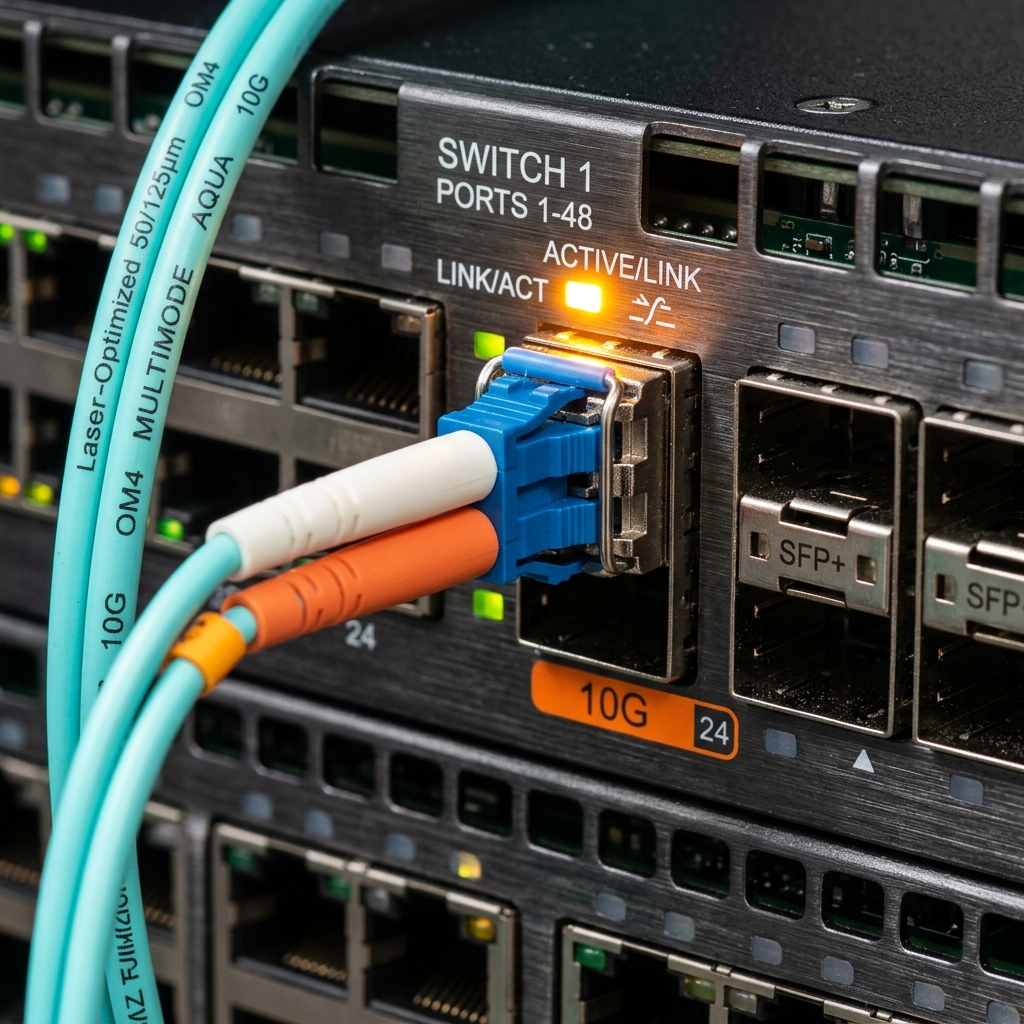
| OM3/OM4 multimode | 10–40 Gbps, 300–550 m | MDF-to-IDF riser uplinks. The right answer for vertical runs. |
| OS2 singlemode | 10 Gbps+, kilometres | Detached buildings, long site runs, carrier handoff. |
Interactive T568B Cable Crimp & Termination Tester
Click wire colors in sequence (Pin 1 to Pin 8) to complete a T568B ethernet termination, then test your crimp!
Rules that don't bend
- 90 m horizontal maximum for the permanent link, plus up to 10 m total of patch cords. Measure the cable path, not the floor plan straight line — risers, trays, and corners add 30% or more.
- T568B throughout, on both ends, on every jack. Pick one standard and never mix.
- Untwist no more than 13 mm at the termination. Sloppy terminations pass a link light and fail under PoE load and 1 Gbps.
- Bend radius — four times cable diameter for copper, ten times for fibre. Zip-tied bundles crushed against a rack rail cause errors you'll chase for weeks.
- Plenum (CMP) vs riser (CMR) — if the cable runs through a return-air ceiling space, it must be plenum-rated. This is a fire code issue, and inspectors do check.
- Separate from electrical. Minimum 300 mm parallel separation from unshielded power lines; cross at 90° when you must cross.
- Test and certify new runs with a real certifier and keep the reports. When a contractor says "it works", ask for the certification file.
Labelling — the TIA-606 habit
# One scheme, used on every jack, panel port, patch cord and switch port
IDF2-PPA-14   →  SW1-Gi1/0/14   →  RM214-A
 closet panel port      switch  port          room  jack

# Every AP gets one too
AP-2-07  = floor 2, seventh AP  → IDF2-PPB-07 → SW1-Gi1/0/31
- Label both ends of every cable, printed not handwritten, and re-label after any move.
- Keep a port map spreadsheet: jack, panel port, switch port, VLAN, device, MAC, and date. This one file saves more hours than any tool you'll buy.
- Photograph the front and rear of every rack after work is complete. Future-you will thank present-you.
Racks and closet layout
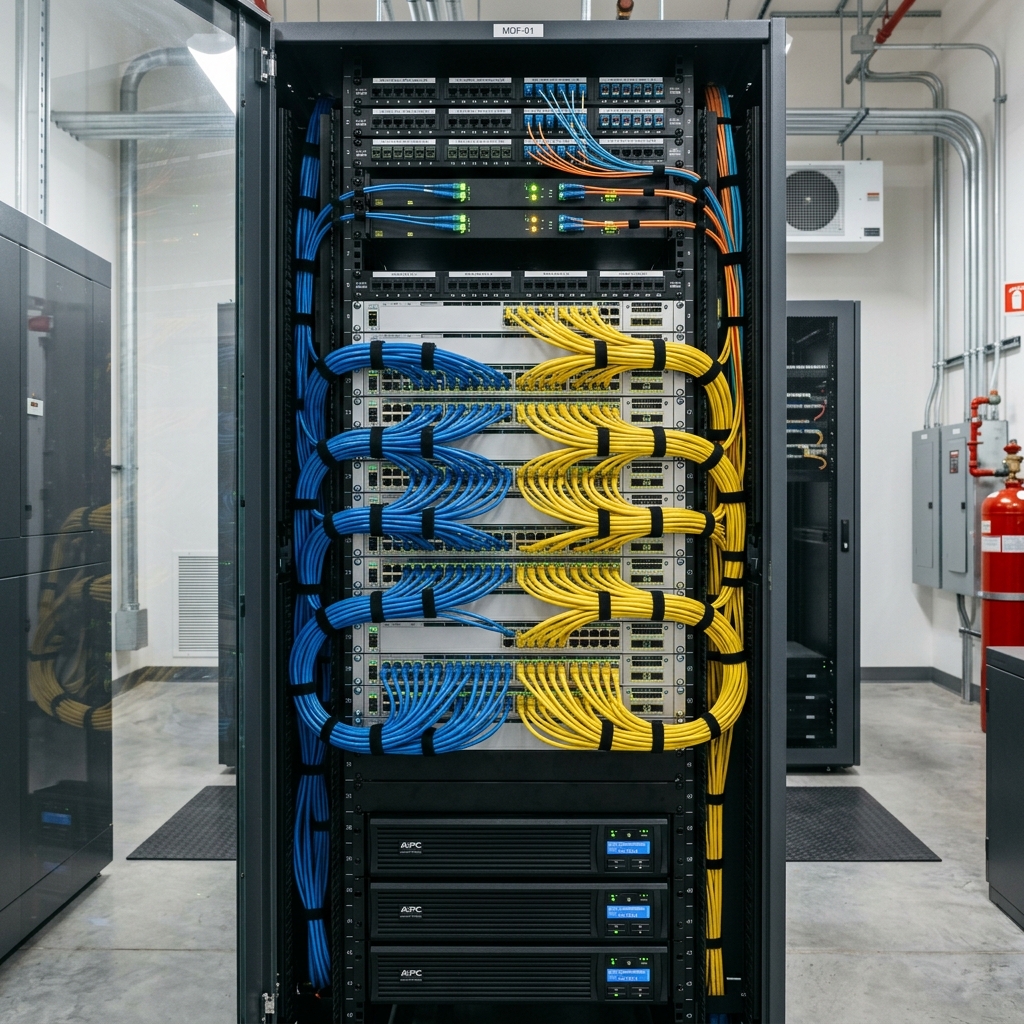
- 1U = 1.75 inches (44.45 mm) in a standard 19-inch EIA-310 rack. An MDF is usually 42U floor-standing; IDFs are typically 12U–24U wall-mount cabinets.
- Four-post for anything with weight — servers, NVRs, UPS. Two-post is fine for switches and patch panels only. Never rest a server on the cable of the device below it.
- Depth matters more than height. Measure your deepest device plus 150 mm for cable bend behind it before buying a cabinet.
Stacking order, top to bottom
- Carrier demarc and WAN gear at the top — it's where the service entrance cable lands, and it's rarely touched.
- Firewall, then HSIA gateway — short, clean runs downstream.
- Core switch, then access switches, with a horizontal cable manager between every switch and its patch panel. Patch panel directly above or below its switch, always.
- Voice — call controller and analog gateway, grouped so the 25-pair or FXS cabling stays contained.
- Servers, NVR, appliances in the middle-lower section on proper rails.
- UPS at the very bottom. It's the heaviest thing you own and it belongs at the centre of gravity.
Details that separate a good closet from a bad one
- Blanking panels in every empty U. Without them, hot exhaust recirculates to the intakes and everything runs 10°C hotter.
- Front-to-back airflow respected — don't mount a switch backwards because the ports face the wrong way; buy the right port orientation instead.
- Patch cords in the right length. A rack full of 3 m cords looped into a nest is a rack you can't work in. Stock 0.3 m, 0.5 m, 1 m, 2 m in your VLAN colours.
- Velcro, never zip ties on network cable. Zip ties deform the jacket and you'll never re-dress the bundle.
- Vertical managers on both sides of a 42U rack. The cost is trivial next to the time it saves.
- Grounding — bond the rack and the ladder rack to building ground per code, especially in a property with outdoor cameras or a rooftop antenna.
- Lock the door and control who has the key. Log entries if you can. The MDF is the single point where the entire property can be taken down by hand.
- No storage. Housekeeping will put boxes in front of the rack the moment you stop looking. Get the GM to back you on this in writing once, and it holds.
Power, UPS, and cooling
UPS sizing
- Add up the actual draw of everything in the rack in watts, not VA. Switches with full PoE loads dominate — a 48-port PoE+ switch feeding 30 APs can pull 700 W by itself.
- Target 60–70% loading of the UPS's rated capacity so you have headroom and reasonable runtime.
- Decide what runtime buys you: 10–15 minutes for a clean shutdown, or 30–60 minutes to ride through short outages and keep the phones and PMS alive. Extended battery packs are cheaper than a second UPS.
- Line-interactive is adequate for an IDF; use online double-conversion for the MDF, where power quality matters and the load is expensive.
- Network management card in the UPS so it can alert you and gracefully shut down servers. An unmonitored UPS is a surprise waiting for a Sunday.
- Test the batteries — self-test monthly, real load test annually, and replace batteries every 3–5 years whether or not they've failed. They fail at the exact moment you need them.
What goes on generator
If the property has one, negotiate for the MDF circuit to be on it. At minimum: firewall, core switch, the switch feeding emergency phones, the call controller, the PMS/interface host, and the front desk. Cameras and the NVR usually make the list too, for obvious reasons.
Cooling
- Aim for 18–27 °C at the intakes with humidity between 40–60%. Most closet failures are heat, not hardware.
- A converted storage room with no dedicated cooling will cook your gear in July. A small ductless split or a properly ducted supply and return is a legitimate capital request — bring temperature logs to the meeting.
- Temperature monitoring with alerting is cheap and pays for itself the first time it catches a failed condenser at 3 a.m.
- Watch for the closet that shares a wall with the laundry or boiler room. That's a losing thermal fight.
Label every PDU outlet with the device it feeds. When you need to power-cycle the NVR remotely at midnight, guessing is how you reboot the PMS instead.
Security and compliance
The hotel-specific threat model
- The lobby is a hostile network location. Anyone can walk in, sit down, and plug into a jack. Ports must be disabled or parked, and wall plates in public areas should be sealed.
- High staff turnover means credentials leak by default. Named accounts and prompt offboarding matter more here than in an office.
- Vendors have remote access to the PMS, locks, phones, HVAC, and the NVR. Each is a path in. Inventory them, require MFA, and disable accounts between service calls.
- Phishing targets the front desk and reservations constantly — fake booking sites, fraudulent chargebacks, "urgent" wire requests to the GM. Train for it specifically.
- Cameras and IoT are the softest devices you own and they're never patched by anyone else.
The baseline, in order of payoff
- Segment the network properly. Everything else is easier afterward.
- Kill default credentials on every device — switches, APs, cameras, UPS cards, printers, the pool controller.
- MFA on M365, VPN, and every admin interface that supports it.
- Backups that a compromised admin account can't delete, tested by restore.
- Patch the internet-facing edge first, then servers, then everything else on a schedule.
- Log centrally and keep 90+ days.
- Quarterly rogue-AP scan — walk the property with a scanner and look for SSIDs and devices that shouldn't exist. A guest's travel router broadcasting your hotel's name is both a security problem and an interference problem.
- Annual review: accounts, vendor access, firewall rules that were "temporary", and forwarded ports.
Your brand will publish technology standards covering minimum bandwidth, approved HSIA and PMS vendors, network segmentation, PCI attestation, and often specific equipment. They supersede this document. Get the current version before any refresh project, and get vendor approval in writing before buying anything — brand-non-compliant gear tends to get discovered during a quality audit, at your expense.
Monitoring and documentation
Monitor these, alert on these
| Thing | Check | Why it matters at a hotel |
|---|---|---|
| WAN circuits | Reachability + latency, both circuits independently | You want to know before the GM does |
| Core & access switches | ICMP, SNMP uptime, PoE budget, port errors, temperature | Rising CRC errors predict a failing run |
| APs | Online count vs expected, client counts, channel utilization | One dead AP on floor 3 = a week of bad reviews |
| PMS + interface host | Host up, service running, interface port listening | The interface fails silently more often than the server |
| Call controller & trunks | Registration state, trunk channel availability | Silent trunk failures aren't noticed until someone tries to call out |
| NVR + cameras | Camera online count, disk health, free space | Discovering a dead camera during an incident is too late |
| UPS | On battery, load %, battery age | Early warning for building electrical problems too |
| MDF temperature | Threshold alert | Cheapest sensor with the highest payoff |
Alerts must reach you on your phone, and must be quiet enough that you don't learn to ignore them. Tune out the noise ruthlessly in the first month.
The documentation set — eight files, kept current
Network diagram
Logical (VLANs, subnets, routes) and physical (closets, uplinks, panels). One page each.
IP & VLAN plan
Every subnet, gateway, DHCP scope, and static assignment.
Port map
Jack → panel → switch port → VLAN → device. The workhorse.
Asset inventory
Model, serial, MAC, firmware, purchase date, warranty end, EOL date.
Vendor sheet
Company, product, account number, support phone, contract level, escalation contact.
Credential vault
A real password manager. Not a spreadsheet, not a note taped in the rack.
Change log
Date, what changed, why, who approved, how to roll back.
Runbooks
What the front desk does when each system fails, written for a night auditor at 3 a.m.
Everything above is also your succession plan. A property where one person holds all the knowledge is one resignation away from an outage nobody can fix. Write it down, store it where the GM can reach it, and make sure at least one manager knows how to open a ticket with each critical vendor.
Troubleshooting decision trees
"The Wi-Fi is down" — reported by one guest
"The internet is out" — property wide
"No dial tone in room 214"
"The PMS is frozen"
"Cameras are offline"
Outage runbooks for the front desk
These belong laminated at the desk, not in your head. Write them for a night auditor with no IT background.
| What's down | What the hotel does immediately | What IT does |
|---|---|---|
| PMS | Switch to manual registration cards. Record name, room assigned, arrival/departure, payment method. Keep a written room-status board. Do not double-assign rooms. | Diagnose, contact the PMS vendor with the exact error, keep the GM updated with an ETA. Reconcile everything into the PMS once it's back, before night audit. |
| Payment gateway | Follow the documented offline authorization procedure from your processor. Do not write full card numbers on paper. | Confirm whether it's the terminal, the network path, or the processor. Check the processor's status page. |
| Internet | Tell guests plainly what's happening and when it's expected back. Have a standard apology script and a manager-approved gesture policy. | Confirm failover engaged, protect critical systems, carrier ticket with circuit ID, update the desk every 30 minutes. |
| Door locks / encoder | Escort guests with a master key. Log every escort. Never hand out a master. | Check the encoder, lock server, and PMS interface. Vendor support if the lock database is affected. |
| Phones | Post the front desk mobile number in the lobby and on the guest directory. Verify the elevator phone independently — that one is life safety. | Trunk, controller, or gateway. If it's the trunk, ask the carrier about temporary call forwarding to a mobile. |
| Power | Follow the property emergency plan. Guest safety and egress lighting first. | Monitor UPS runtime, shut servers down gracefully before batteries die, document what came back up in what order. |
Write four lines the same day: what happened, what the impact was, what fixed it, and what change prevents a repeat. Ten minutes of writing now is worth hours the next time — and it's the record that justifies the capital request for the redundancy you asked for last year.
Sizing calculators
Rough numbers for planning conversations and quotes. Validate against vendor tools before you buy.
Guest bandwidth
PoE budget
Camera storage
UPS load
Ports, protocols, and glossary
Ports you'll meet on a property
| Port | Protocol | Where it shows up |
|---|---|---|
22 | SSH | Switch, firewall, and Linux appliance management |
25 / 587 | SMTP | Report emailing. Block 25 outbound from guest. |
53 | DNS | Everything. Intercepted by the captive portal. |
67 / 68 | DHCP | Address assignment; relay configured at the core |
69 | TFTP | Phone firmware and config downloads |
80 / 443 | HTTP/S | Portals, cloud PMS, management UIs, cameras |
123 | NTP | Clock sync — critical for logs, locks, cameras |
161 / 162 | SNMP | Monitoring polls and traps |
389 / 636 | LDAP / LDAPS | Directory lookups |
445 | SMB | File and print. Never allow it from guest. |
502 | Modbus TCP | Building systems, boiler and pool controllers |
514 | Syslog | Central logging |
554 | RTSP | Camera streams — use it to test a camera without the NVR |
1433 / 3306 | SQL | PMS and POS databases, internal only |
1812 / 1813 | RADIUS | 802.1X staff Wi-Fi, portal authentication |
3389 | RDP | Server admin — internal or over VPN only, never exposed |
5060 / 5061 | SIP | Call signaling |
10000–20000 | RTP | Voice media streams (vendor-specific range) |
47808 | BACnet/IP | HVAC and building automation |
Glossary
| ADR / RevPAR | Average daily rate; revenue per available room. Your GM's language — learn it, it's how you justify budget. |
| BAS | Building automation system — HVAC, lighting, boilers. |
| BEO | Banquet event order; the operational sheet for a group function, often including AV and network needs. |
| CDR | Call detail record — used for billing and audit. |
| CRS | Central reservation system, run by the brand; feeds your PMS. |
| Demarc | Demarcation point — where the carrier's responsibility ends. |
| FIAS | The hospitality interface specification used between PMS and phone/HSIA/lock systems. |
| HSIA | High-speed internet access — the guest internet platform. |
| IDF / MDF | Intermediate / main distribution frame — the floor closets and the main room. |
| MWI | Message waiting indicator — the light or stutter tone on a guest phone. |
| Night audit | The nightly PMS rollover that closes the business day. |
| ONT | Optical network terminal — the fibre handoff device at the demarc. |
| OOO / OOS | Out of order / out of service room status. |
| P2PE | Point-to-point encryption; encrypts card data at the reader, shrinking PCI scope. |
| PMS | Property management system — reservations, folios, room status, the hub of everything. |
| PSAP | Public safety answering point — the 911 call centre. |
| SBC | Session border controller — the security edge for SIP trunks. |
| SVI | Switched virtual interface — a VLAN's gateway address on a layer-3 switch. |
| Walled garden | Destinations reachable before a guest authenticates at the portal. |
- Draw the network diagram and build the port map. You can't secure or fix what you can't see.
- Verify guest traffic genuinely cannot reach the PMS, POS, or camera VLANs. Test it, don't assume it.
- Change every default credential and put them in a password manager.
- Restore one file from backup, end to end, and time it.
- Write the front desk outage runbooks and laminate them.